Profile and Care Group Page Guide
Overview
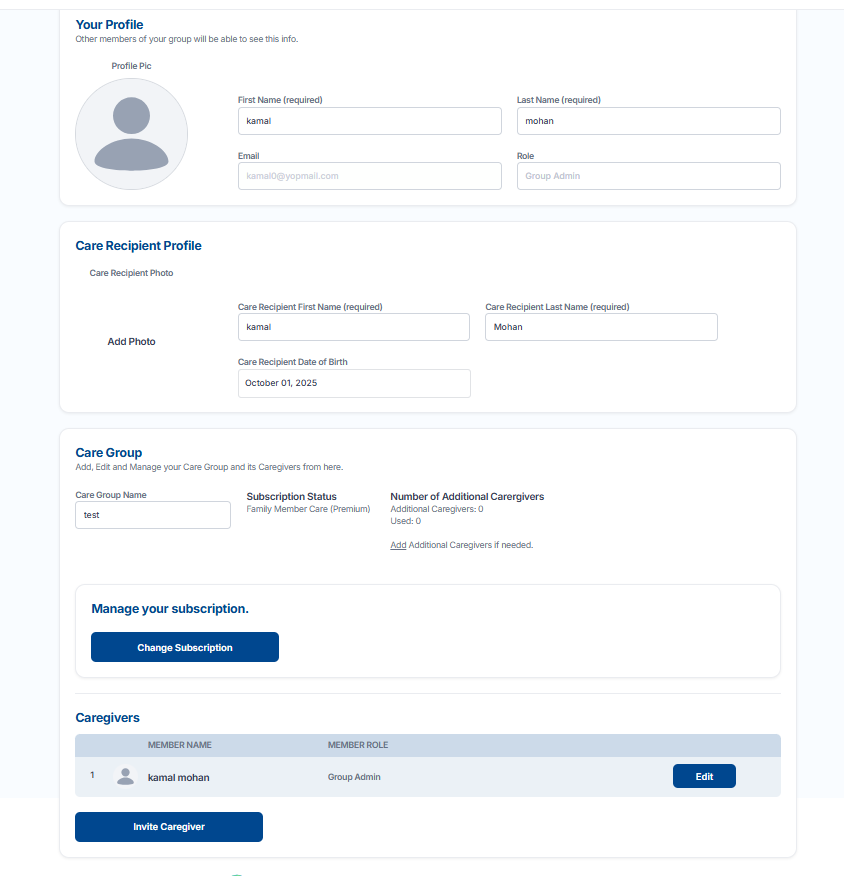
This page allows users to view and manage their personal profile, care recipient information, and care group details.
Care Recipient Profile
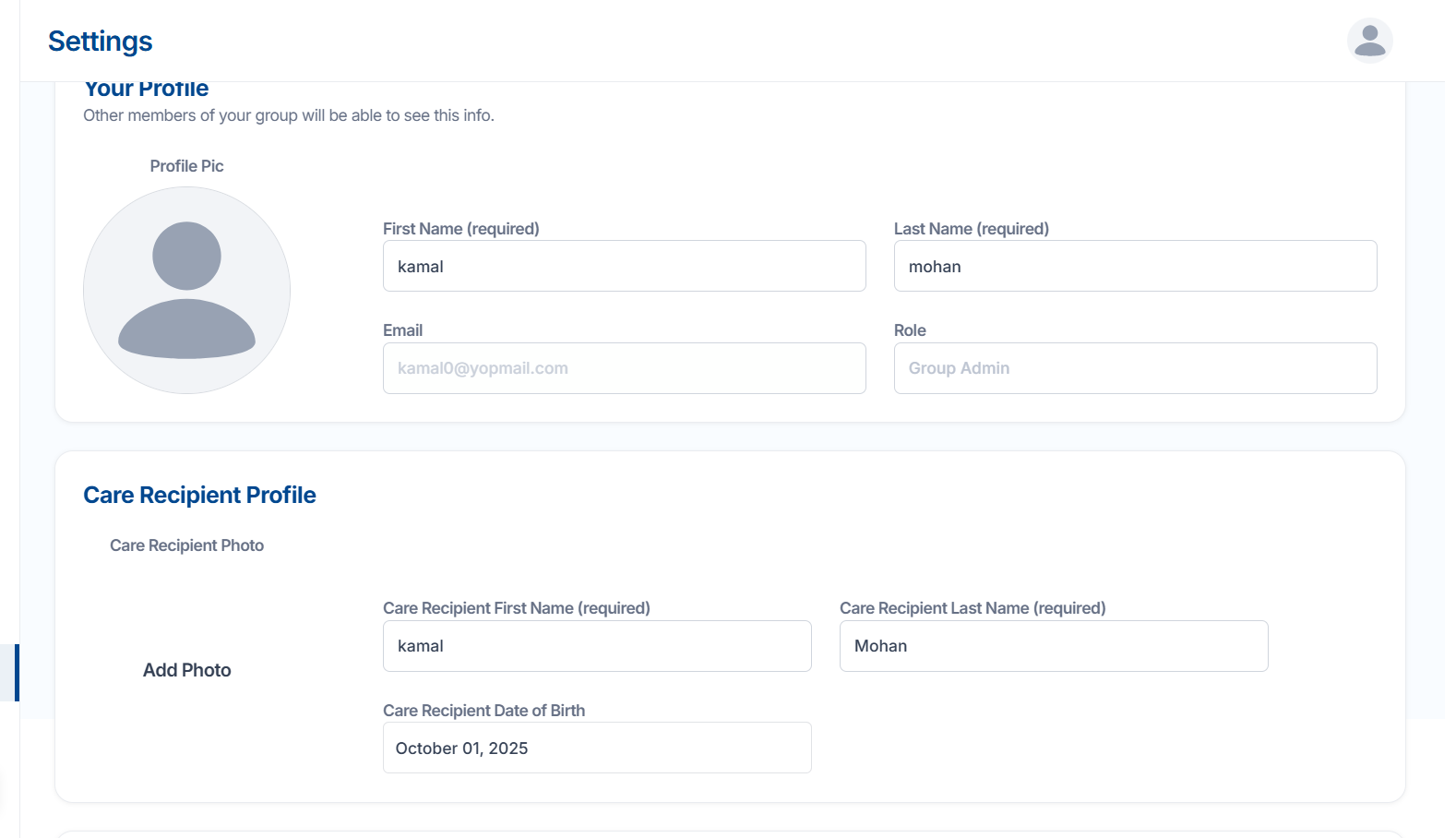
This section stores details of the person receiving care.
You can upload a care recipient photo using the Add Photo option.
Enter the care recipient’s first name, last name, and date of birth.
All these fields help identify the person being cared for within the group.
Care Group
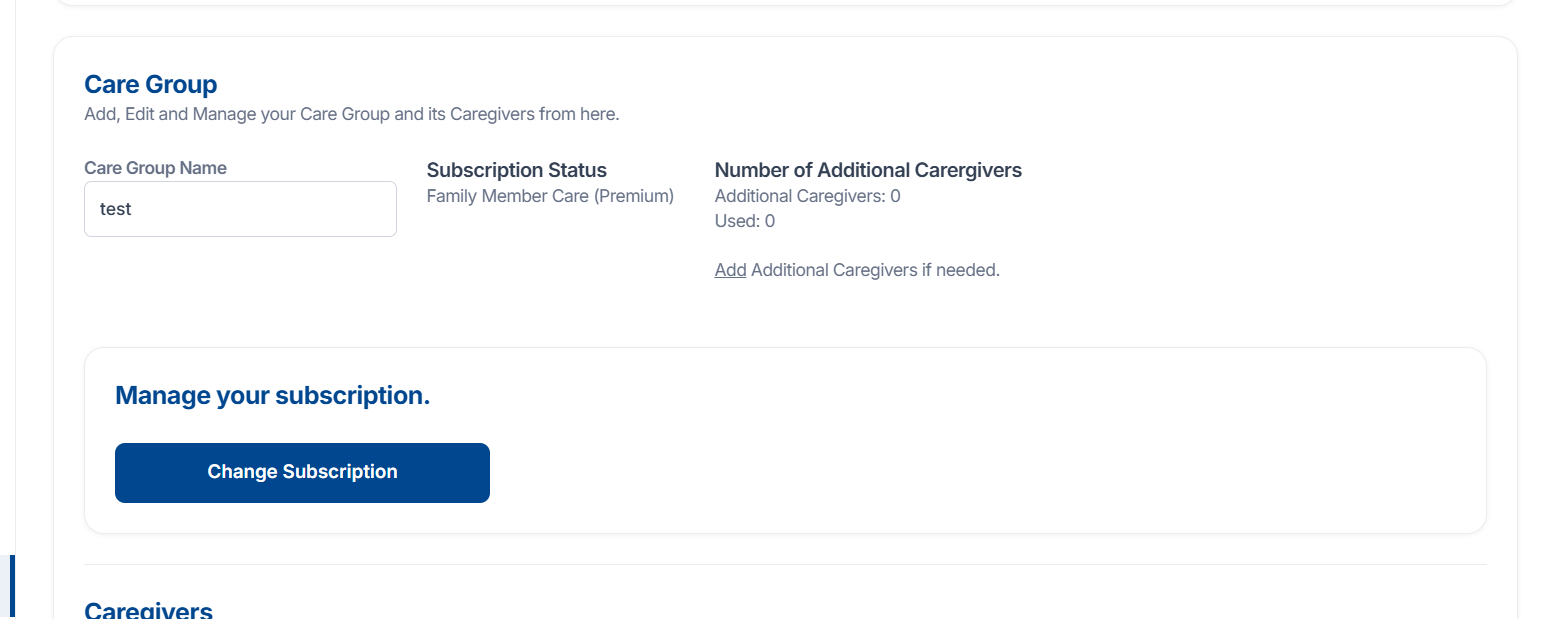
This section helps manage your care group and subscription.
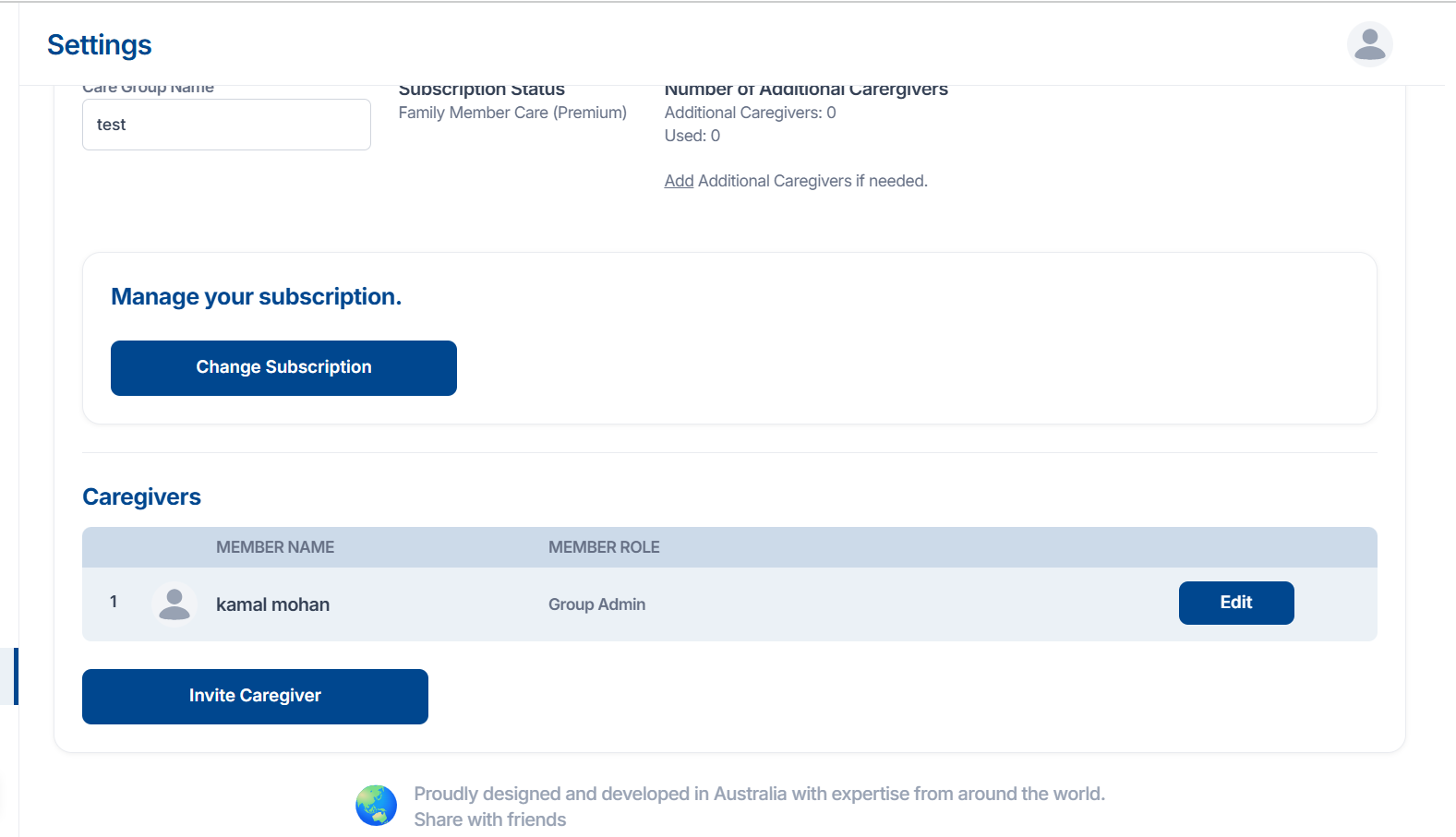
You can see the care group name, current subscription status (for example, Family Member Care – Premium), and the number of additional caregivers allowed and used.
An option is available to add additional caregivers if needed.
You can also change or upgrade your plan using the Change Subscription button.
Caregivers
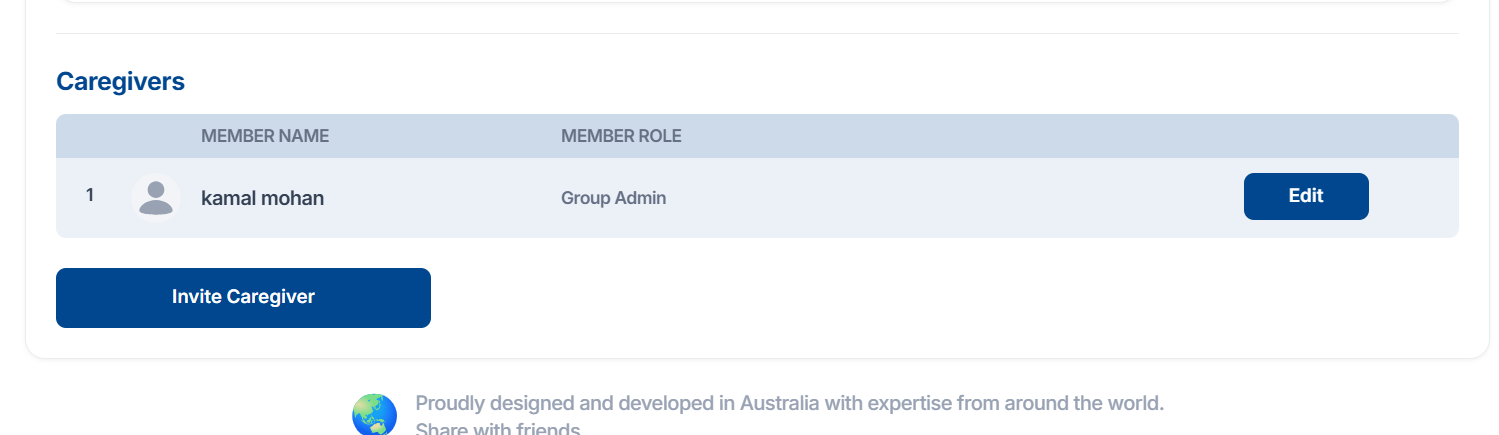
This section lists all caregivers associated with your group.
Each caregiver’s name and role are displayed in a table.
Click Edit to update caregiver information.
Use the Invite Caregiver button to add new caregivers to your group
This page allows users to view and manage their personal profile, care recipient information, and care group details.
Care Recipient Profile
This section stores details of the person receiving care.
You can upload a care recipient photo using the Add Photo option.
Enter the care recipient’s first name, last name, and date of birth.
All these fields help identify the person being cared for within the group.
Care Group
This section helps manage your care group and subscription.
You can see the care group name, current subscription status (for example, Family Member Care – Premium), and the number of additional caregivers allowed and used.
An option is available to add additional caregivers if needed.
You can also change or upgrade your plan using the Change Subscription button.
Caregivers
This section lists all caregivers associated with your group.
Each caregiver’s name and role are displayed in a table.
Click Edit to update caregiver information.
Use the Invite Caregiver button to add new caregivers to your group
Related Articles
User Messages Page Guide
Overview This page allows users to send and receive messages within their family or care group chat. Family Group Chat All conversations with group members appear in the Family Group Chat section. Each message displays the sender’s name, the date, ...Appointments Page Guide
Overview This page helps users view, schedule, and manage upcoming appointments in a calendar view. Appointments Section The main section displays a calendar showing all scheduled appointments. You can switch between Month, Week, or Day views using ...How to Add Care Recipient Information on Family Member Care
Overview After signing up as a Care Giver, you’ll be asked to provide some details about the person you’re caring for. This step helps set up your Care Recipient profile so you can manage their information and care group easily. Step 1 — Open the ...How to Set Up and Preview Your Practice Profile
Overview The Practice Settings page allows you to manage how your business or organization appears to clients and caregivers in Family Member Care. You can upload a banner image, add essential contact details, and preview how your public profile ...Sign Up as a Care Giver on Family Member Care
Overview This guide will help you create your Care Giver account on Family Member Care. Follow these simple steps to fill out the registration form and start using the platform. Step 1 — Open the Care Giver Sign-Up Page Go to ...